

Exclaimer Email Signature Management
Pricing depends on users, devices or licenses. You’ll see the full price before you confirm.
By signing up you agree to DAG Tech’s Master Terms & Conditions and the service agreement for this subscription.
Exclaimer Email Signature Management video
Official overview from Exclaimer.
Inside Exclaimer Email Signature Management
About Exclaimer Email Signature Management
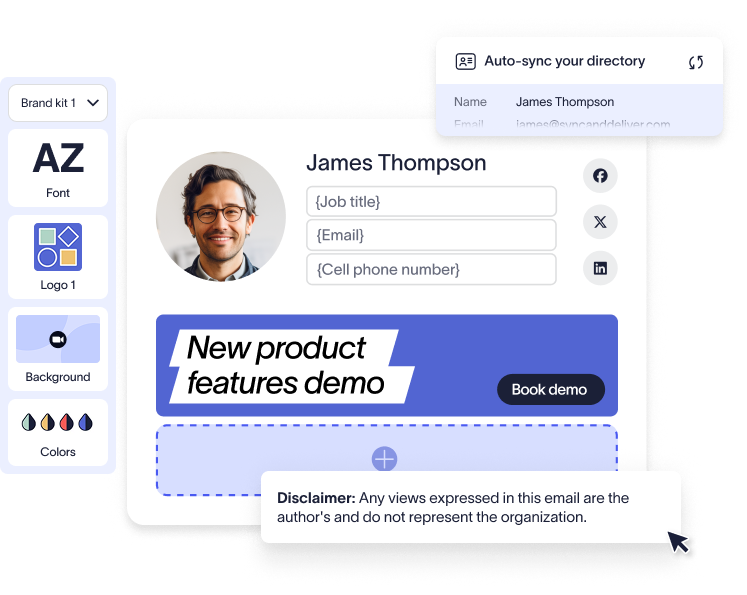
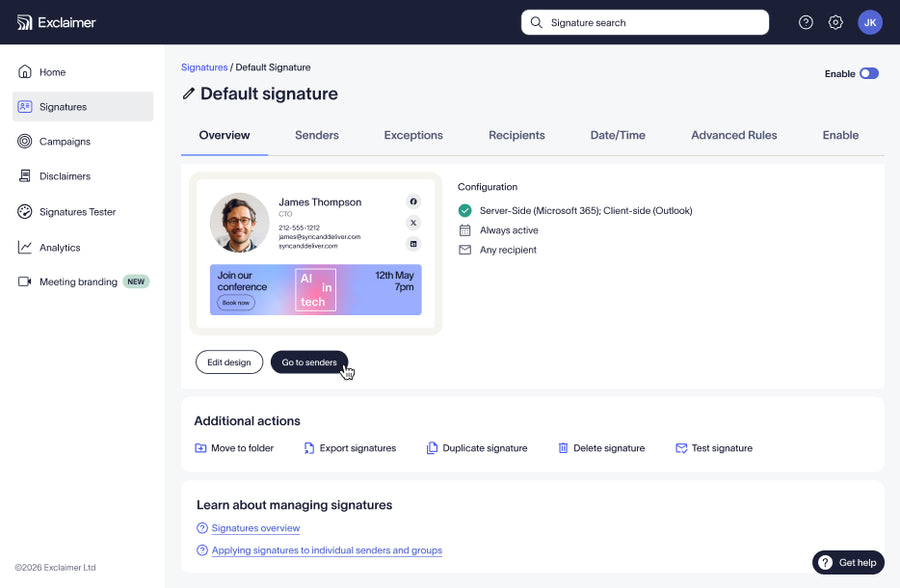
Exclaimer gives every employee a consistent, on-brand email signature, managed centrally so nobody has to edit their own.
Key features
- Works with Microsoft 365, Google Workspace and Exchange
- Signatures applied on every device, including phones
- Contact details pulled automatically from your directory
- Marketing banners and campaigns by team or department
- Legal disclaimers added automatically
Managed by DAG Tech
We build your signature templates, connect Exclaimer to your email platform and update them whenever your branding changes.
How DAG Tech sets it up
Design your templates
We build signature templates from your branding and legal requirements.
Connect your directory
We link Exclaimer to Microsoft 365, Google Workspace or Exchange so details fill in automatically.
Roll out and update
Signatures apply to everyone, and we update them whenever your branding or campaigns change.
Exclaimer Email Signature Management FAQ
Do signatures work on phones?
Yes. Exclaimer applies signatures to emails sent from any device.
Can different teams have different signatures?
Yes. Templates can be assigned by department, location or group.
Can we add marketing banners?
Yes. You can schedule banners and campaigns for specific teams.
Questions before you sign up?
We’ll walk you through pricing, setup and what fits your team.